
about   features   screenshots   donate   download   tips   contact   discuss

JDarkRoom

A simple full-screen text editor
News


29th August 2008 - Website
JDarkRoom has now had over 100,000 hits and over 30,000 downloads.

1st August 2008 - User Guide
JDarkRoom now has a User Guide (downloadable PDF).

21st May 2008 - New (beta) version
JDarkRoom version 13 is almost ready. Try the beta version.

14th Mar 2008 - Google Group
JDarkRoom now has a Google Group for discussions, questions, etc.

15th Mar 2008 - Bug Tracker
CodeAlchemists now have a bug database for JDarkRoom. Please report any bugs you may find - it helps us improve JDarkRoom.

Community:
JDarkRoom has now been downloaded by thousands of people. See some of our JDarkRoom sightings.

[ news archive ]


About JDarkRoom

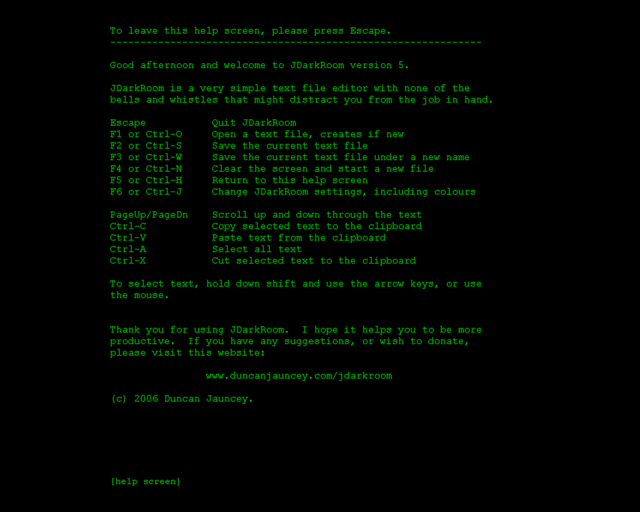
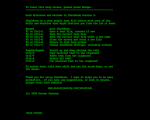
JDarkRoom is a popular, simple full-screen text file editor with none of the usual bells and whistles that might distract you from the job in hand. If you are writing a novel, essay, thesis or just need to be able to concentrate on your writing, then JDarkRoom may help you.

I have released JDarkRoom under the umbrella of CodeAlchemists. Please donate if you find this software useful - it encourages me to add features and fix bugs.

The development of JDarkRoom was heavily inspired by DarkRoom, an implementation of WriteRoom (which is a Mac-only application) for Windows, but DarkRoom requires the Microsoft .NET framework. I decided to create my own implementation in Java for those that prefer not to use .NET.


Features

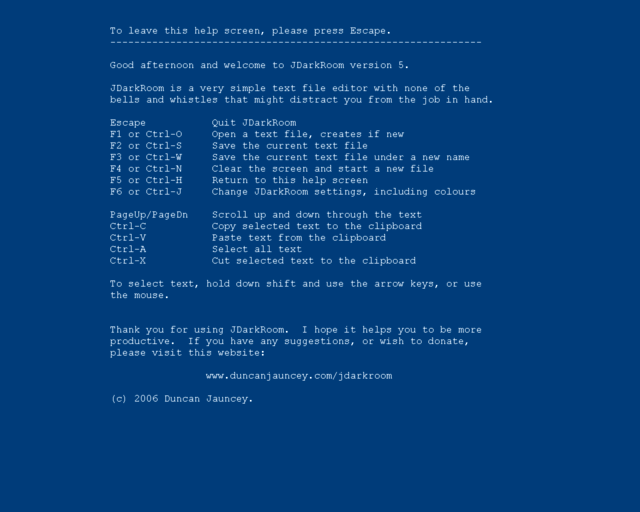
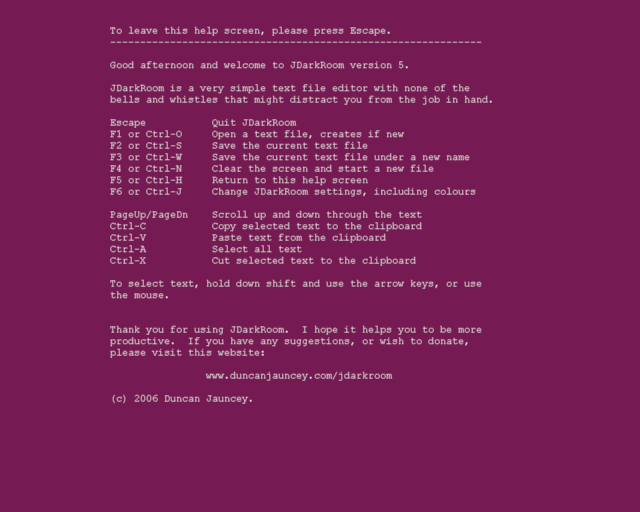
  • Change your colour preferences, font and font size - via the settings screen (F6)
  • JDarkRoom remembers the file that you were working on last time
  • Support for central-european character sets
  • JDarkRoom notifies you if you might have forgotten to save your changes
  • Word/line/character count (Ctrl-L)
  • Specify a file on the command-line for JDarkRoom to open it at startup
  • Text antialiasing (where possible)
  • Mouse-wheel scrolling
  • Adjustable margins to fit any screen resolution (F9 to reset)
  • Auto-save backups - so you never lose your work again
  • Text search (F7 / Ctrl-F)
  • A command-reminder strip can be displayed at the bottom of the screen


Screenshots


Donations

JDarkRoom is supported entirely by the adverts you see on the right and by donations. Please consider donating a small amount, even 1 €/$/£.

Paypal handles the secure transaction (so we never see your financial details).

(paypal account not required)

Download

To run JDarkRoom, you need to have Java 1.4 or greater installed (Java 5 is recommended). Mac OS X comes pre-loaded with Java so you don't need to worry.

JDarkRoom version 12
Windows (installer)(198KB)
Mac (application)(245KB)
Mac / Linux (JAR file)(119KB)

JDarkRoom version 13 (beta)
(see below)

JDarkRoom version 13 User Guide
Download (PDF, 88KB)

Once the program has fully downloaded, you should be able to double-click on it and it should run straightaway. If you download the JAR version, an alternative is to open a command prompt, navigate to the directory where you downloaded the program, then type
java -jar JDarkRoom.jar
Mac users: You should be able to double-click the downloaded ZIP file, open the JDarkRoom directory, then drag JDarkRoom to your Applications folder, or to the Dock.
NB: Thanks to Dane Velasquez for preparing the .app file for the Mac.
AsusTek Eee users: please see the tips section below.

Latest changes:
  • Adjustable margins to fit any screen resolution (F9 to reset)
  • Text search (F7 / Ctrl-F)
  • Colour selection mode now defaults to 'text' rather than 'dialog' (solving a problem for some Mac OS X users)
  • Auto-save backups - so you never lose your work again (applies to new and pre-existing files)
  • File names specified on the command line can now contain spaces
  • You can override the default 'conf' directory location (see below)


Version 13 (beta)

Version 13 comes with several new features. Although it has been tested on Mac (OS X 10.4), Windows (XP, 2000) and Asus Eee (Xandros Linux), feedback from the wider user community is welcomed. This version will be released properly when we have gathered enough reports. If you have never used JDarkRoom before, we would recommend version 12 for now.
 Download JDarkRoom 13 (beta) for Windows (EXE installer)
 Download JDarkRoom 13 (beta) for Mac/Linux (executeable JAR file)
 Download JDarkRoom 13 User Guide (PDF, 88KB)
Changes:
  • The default configuration directory has moved from ./conf to $HOME/.jdarkroom - if upgrading you should move your jdarkroom.properties file to the new location. If you don't know where $HOME is, startup and shutdown JDarkRoom 13 once and note where it saves keymap.conf. Copy your old jdarkroom.properties over the top of the new one.
  • Keyboard mappings are now configurable. JDarkRoom generates a default keymap.conf file in your configuration directory the first time it runs, then uses that every time it starts up. See the file for more information.
  • Line-ending characters are now auto-detected (UNIX, MAC, WIN) and can be changed in the Settings screen (F6).
  • You can press Ctrl-T to insert a timestamp, the format of which is governed by timestamp.format in your jdarkroom.properties file.
  • Pressing 'X' while in the Settings screen (F6) dumps debug information to the standard output (if JDarkRoom is run from a terminal/command-line).
  • Ctrl-. reapplies margin settings, should they become confused (reported on the Asus Eee).
  • Slightly smaller default font size on the Mac.
As mentioned above, all feedback on version 13 (beta) is welcomed via our Google Group. Please include 'v13' in your post's subject.


Tips

  • AsusTek Eee users: Download the Linux version and follow the instructions below for Ubuntu Linux. JDarkRoom will work with Java 1.5, but you will need to specify
    force.full.screen=true
    as described below. ('suppress.native.look.and.feel=true' is not required)
  • Ubuntu Linux (or Xandros) users: JDarkRoom will work on Ubuntu/Xandros with Java 1.6. You will need to add the following line to your conf/jdarkroom.properties file (create one if it doesn't exist):
    suppress.native.look.and.feel=true
    If that doesn't work (and you're using Ubuntu Gutsy) try adding:
    force.full.screen=true
  • To override the default 'conf' directory location, set the JDARKROOM_CONF environment variable to (for example) ~/.jdarkroom and JDarkRoom will look for jdarkroom.properties in that directory instead of the default location
  • To switch between JDarkRoom and another program, use Alt-Tab (on Windows) or Command (Apple)-Tab (on an Apple Mac).
  • Another way to temporarily switch out of JDarkRoom is to try pressing Ctrl-K (may not work for all platforms).
  • To upgrade from an old version of JDarkRoom, just copy the new JDarkRoom file you downloaded over the old one.
  • Ctrl-backspace deletes the previous word
  • Press F9 to automatically recalculate font size and margins to something appropriate to your screen resolution
  • Any file specified on the command line will be opened at startup, e.g.
    java -jar JDarkRoom.jar /My JDarkRoom Files/writing.txt
    (as of version 12, they can contain spaces)
  • Backups (enabled by default) are auto-saved every 5 minutes. New files are saved to the directory shown on the settings screen and are called something like .jdarkroom-3765.tmp. Files that already have a filename are backed up in the same directory as the proper file, but are named .yourfilename.backup (for example). The filenames are prefixed with a dot so that they become 'hidden' on some platforms - to see them, you may need to type
    ls -a

If you have any more tips for using JDarkRoom, please email us.


Contact

If you have a question about JDarkRoom, or would like to discuss it with other users, please look at our Google Group.

If you find a bug with JDarkRoom, please report it via our bug tracker.

JDarkRoom was written by Duncan Jauncey. To contact the author please email:


Old Versions

If, for some reason, you find a problem with the current version of JDarkRoom, please notify the author and try one of these older versions:


Copyright (c) 2006, 2007, 2008 Duncan Jauncey.