
![]() |
about features screenshots donate download tips contact discuss |
JDarkRoom
A simple full-screen text editor
News
15th Mar 2008 - Bug Tracker
CodeAlchemists now have a bug database for JDarkRoom. Please report any bugs you may find - it helps us improve JDarkRoom.
Community:
JDarkRoom has now been downloaded by thousands of people. See some of our JDarkRoom sightings.
[ news archive ]
About JDarkRoom
I have released JDarkRoom under the umbrella of CodeAlchemists. Please donate if you find this software useful - it encourages me to add features and fix bugs.
The development of JDarkRoom was heavily inspired by DarkRoom, an implementation of WriteRoom (which is a Mac-only application) for Windows, but DarkRoom requires the Microsoft .NET framework. I decided to create my own implementation in Java for those that prefer not to use .NET.
Features
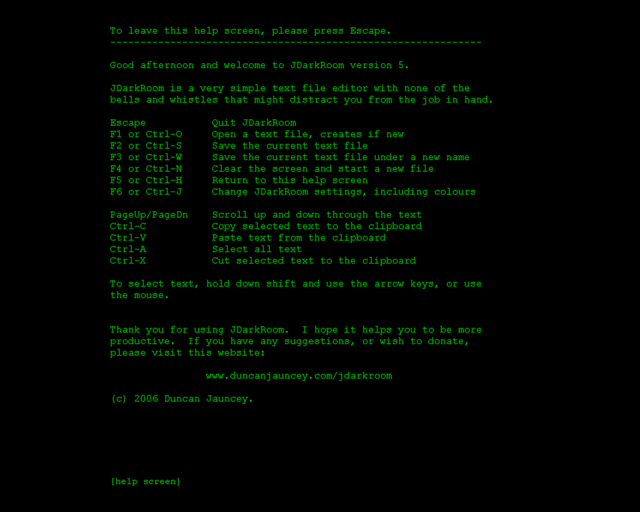
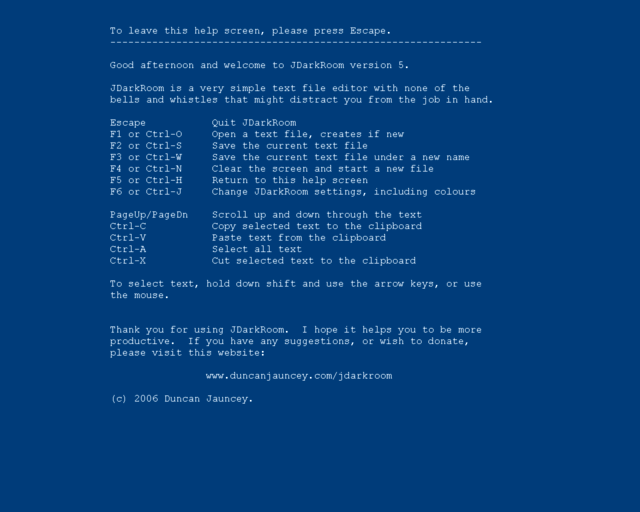
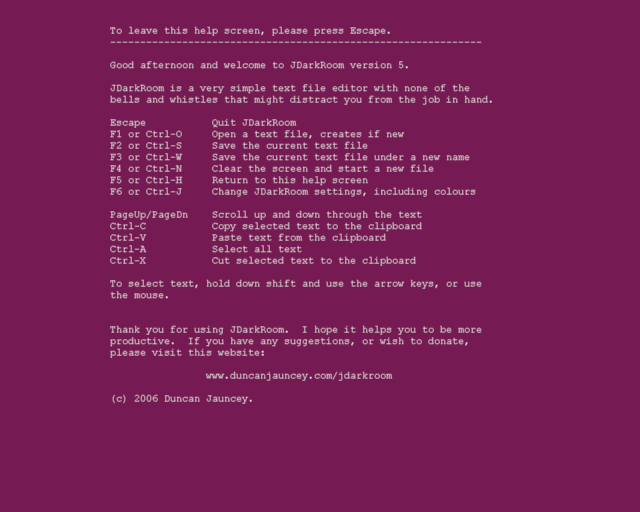
- Change your colour preferences, font and font size - via the settings screen (F6)
- JDarkRoom remembers the file that you were working on last time
- Support for central-european character sets
- JDarkRoom notifies you if you might have forgotten to save your changes
- Word/line/character count (Ctrl-L)
- Specify a file on the command-line for JDarkRoom to open it at startup
- Text antialiasing (where possible)
- Mouse-wheel scrolling
- Adjustable margins to fit any screen resolution (F9 to reset)
- Auto-save backups - so you never lose your work again
- Text search (F7 / Ctrl-F)
- A command-reminder strip can be displayed at the bottom of the screen
Screenshots
Donations
(paypal account not required)
Download
JDarkRoom version 12
| Windows (installer) | (198KB) | |
| Mac (application) | (245KB) | |
| Mac / Linux (JAR file) | (119KB) |
Once the program has fully downloaded, you should be able to double-click on it and it should run straightaway. If you download the JAR version, an alternative is to open a command prompt, navigate to the directory where you downloaded the program, then type
java -jar JDarkRoom.jarMac users: You should be able to double-click the downloaded ZIP file, open the JDarkRoom directory, then drag JDarkRoom to your Applications folder, or to the Dock.
NB: Thanks to Dane Velasquez for preparing the .app file for the Mac.
AsusTek Eee users: please see the tips section below.
Latest changes:
- Adjustable margins to fit any screen resolution (F9 to reset)
- Text search (F7 / Ctrl-F)
- Colour selection mode now defaults to 'text' rather than 'dialog' (solving a problem for some Mac OS X users)
- Auto-save backups - so you never lose your work again (applies to new and pre-existing files)
- File names specified on the command line can now contain spaces
- You can override the default 'conf' directory location (see below)
Tips
- AsusTek Eee users: Download the Linux version and follow the instructions below for Ubuntu Linux. JDarkRoom will work with Java 1.5, but you will need to specify
force.full.screen=true
as described below. ('suppress.native.look.and.feel=true' is not required) - Ubuntu Linux (or Xandros) users: JDarkRoom will work on Ubuntu/Xandros with Java 1.6. You will need to add the following line to your conf/jdarkroom.properties file (create one if it doesn't exist):
suppress.native.look.and.feel=true
If that doesn't work (and you're using Ubuntu Gutsy) try adding:force.full.screen=true
- To override the default 'conf' directory location, set the
JDARKROOM_CONFenvironment variable to (for example)~/.jdarkroomand JDarkRoom will look for jdarkroom.properties in that directory instead of the default location - To switch between JDarkRoom and another program, use Alt-Tab (on Windows) or Command (Apple)-Tab (on an Apple Mac).
- Another way to temporarily switch out of JDarkRoom is to try pressing Ctrl-K (may not work for all platforms).
- To upgrade from an old version of JDarkRoom, just copy the new JDarkRoom file you downloaded over the old one.
- Ctrl-backspace deletes the previous word
- Press F9 to automatically recalculate font size and margins to something appropriate to your screen resolution
- Any file specified on the command line will be opened at startup, e.g.
java -jar JDarkRoom.jar /My JDarkRoom Files/writing.txt
(as of version 12, they can contain spaces) - Backups (enabled by default) are auto-saved every 5 minutes. New files are saved to the directory shown on the settings screen and are called something like
.jdarkroom-3765.tmp. Files that already have a filename are backed up in the same directory as the proper file, but are named.yourfilename.backup(for example). The filenames are prefixed with a dot so that they become 'hidden' on some platforms - to see them, you may need to typels -a
If you have any more tips for using JDarkRoom, please email us.
Contact
If you find a bug with JDarkRoom, please report it via our bug tracker.
JDarkRoom was written by Duncan Jauncey. To contact the author please email:

Old Versions
- Version 1 (7th July 2006)
- Version 2 (23rd July 2006)
- Version 3 (27th August 2006)
- Version 4 (3rd September 2006)
- Version 5 (25th September 2006)
- Version 6 (1st November 2006)
- Version 7 (7th January 2007)
- Version 8 (21st January 2007)
- Version 9 (8th May 2007)
- Version 10 (7th July 2007)
- Version 11 (9th Sept 2007)
Copyright (c) 2006, 2007, 2008 Duncan Jauncey.